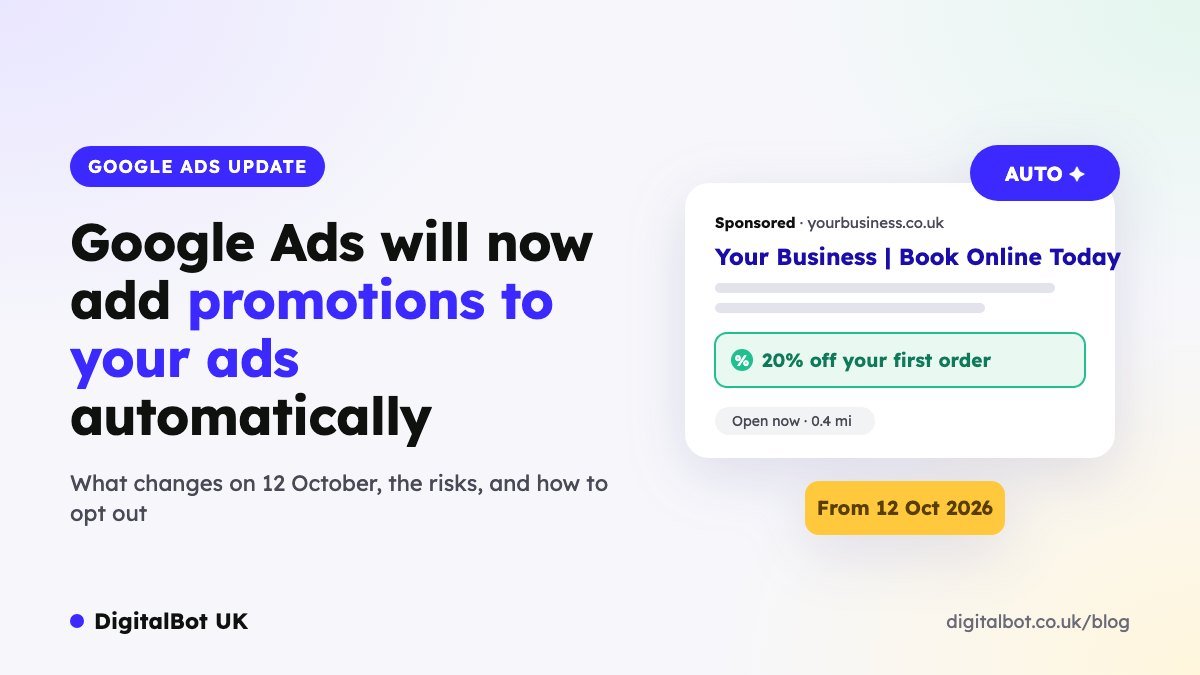
From 12 October 2026, Google Ads will start creating promotion assets for you automatically. It will scan your website for offers such as discounts, coupons and seasonal deals, and attach them to your ads without you lifting a finger.
That sounds helpful, and it can be. But it also means Google could start advertising an offer you didn’t choose, or one that has already ended. Here’s what’s changing, who it affects and what we recommend you do before the switch-on date.
What’s changing?
Promotion assets are the extra lines under your ad that highlight an offer, for example “20% off all orders” or “£10 off your first booking”. Until now, advertisers had to add them manually.
From 12 October, Google will:
- find promotions on your website automatically, such as coupons, sale prices and deals;
- turn them into promotion assets and attach them to your campaigns;
- switch this on by default, so every eligible account is opted in unless you turn it off.
Which campaigns are affected?
For now, the change only applies to campaigns that meet all three of these conditions:
- They are Search or Performance Max campaigns.
- They have location assets linked (usually from your Google Business Profile).
- They don’t already have a promotion asset attached.
So if you’re a local business, a multi-location brand or a retailer with stores, and you’ve linked your Business Profile to Google Ads, this is very likely to affect you.
The benefits
- No manual setup: offers on your site can appear in your ads without anyone having to build the asset.
- More eye-catching ads: promotions make ads larger and more compelling, which often improves click-through rate.
- Online and in-store impact: because it’s tied to location assets, it’s designed to drive both website sales and store visits.
The risks to watch
- Expired or outdated offers: if an old promotion is still on a forgotten page of your site, Google may pick it up.
- Offers you didn’t intend to advertise: for example, a staff discount, a trade-only price or a one-off deal for a specific partner.
- Margin pressure: pushing a discount in your ads can attract bargain hunters and lower your profit per sale.
- Brand and compliance control: regulated sectors such as healthcare, finance and legal services need to check that offers in ads meet advertising rules, including the CAP Code in the UK.
- Limited visibility: automatically created assets only appear in your account once they have served. Assets with zero impressions won’t show, so you may not see a promotion until it’s already live.
What we recommend before 12 October
- Audit your website’s offers. Remove or update any expired promotions, old coupon codes and outdated sale banners.
- Decide whether to opt out. If you sell in a regulated sector, work on tight margins or rarely run promotions, consider switching the feature off.
- Add your own promotion assets where it makes sense. Campaigns that already have a promotion asset aren’t affected, so adding the offer you want to promote keeps you in control.
- Check the Assets report weekly after 12 October for any new automatically created promotions, and remove anything you don’t want.
- Review performance after two to four weeks: compare click-through rate, conversion rate and profit, not just clicks.
How to turn automated promotions off
You stay in control and can opt out at any time:
- Sign in to Google Ads.
- Go to Assets and open your account-level automated assets settings.
- Find Automated promotions.
- Select Off and save.
Google’s menus change from time to time, so if you can’t find the setting, search for “account-level automated assets” in the Google Ads Help Centre.
Our view
For most local businesses with clean, up-to-date websites, automated promotions are worth testing, because extra ad space usually means more clicks. But the default should be a conscious decision, not something that happens to your account by accident. Spend ten minutes checking your site’s offers and your automated asset settings before 12 October, and keep an eye on the Assets report afterwards.
Frequently asked questions
Will this affect my Shopping or Display campaigns?
Not at the moment. It applies only to Search and Performance Max campaigns with linked location assets.
I already use promotion assets. Will Google override them?
No. The change only applies to campaigns that don’t already have a promotion asset attached.
Can I edit or remove an automated promotion?
Yes. Once an automated promotion has served, it appears in the Assets section of your account, where you can manage or remove it like any other automated asset.
Does opting out affect my other automated assets?
No. You can turn off automated promotions on its own and keep other automated assets, such as dynamic sitelinks, switched on.
Not sure whether this change affects your account? We can check your campaigns, location assets and website offers for you. Find out more about our Google Ads management, or read how much Google Ads management costs in the UK.
Want us to check your account before 12 October?
Get a free Google Ads audit. We’ll review your automated asset settings, location assets and website offers, and tell you whether to keep automated promotions on or switch them off. No obligation.
Get my free Google Ads audit or WhatsApp us on +44 7833 822167